How to set up IPTV on any device
How to set up IPTV comes down to three things on every device: install a player app, enter the login details IPTV True North sent you by e-mail, and wait for the channel list and programme guide to load. This hub has numbered steps for each device Canadians actually use, from a Fire TV Stick to a MAG box. Pick your device from the list, follow the steps, and if anything does not match what you see on screen, the live chat is open 24/7. No login yet? Request the 24-hour free trial first.
Jump to your device: Fire TV | Android TV and Google TV | Apple TV | Samsung TV | LG TV | Roku | Chromecast | Windows and Mac | iPhone and iPad | Formuler | MAG box | Nvidia Shield
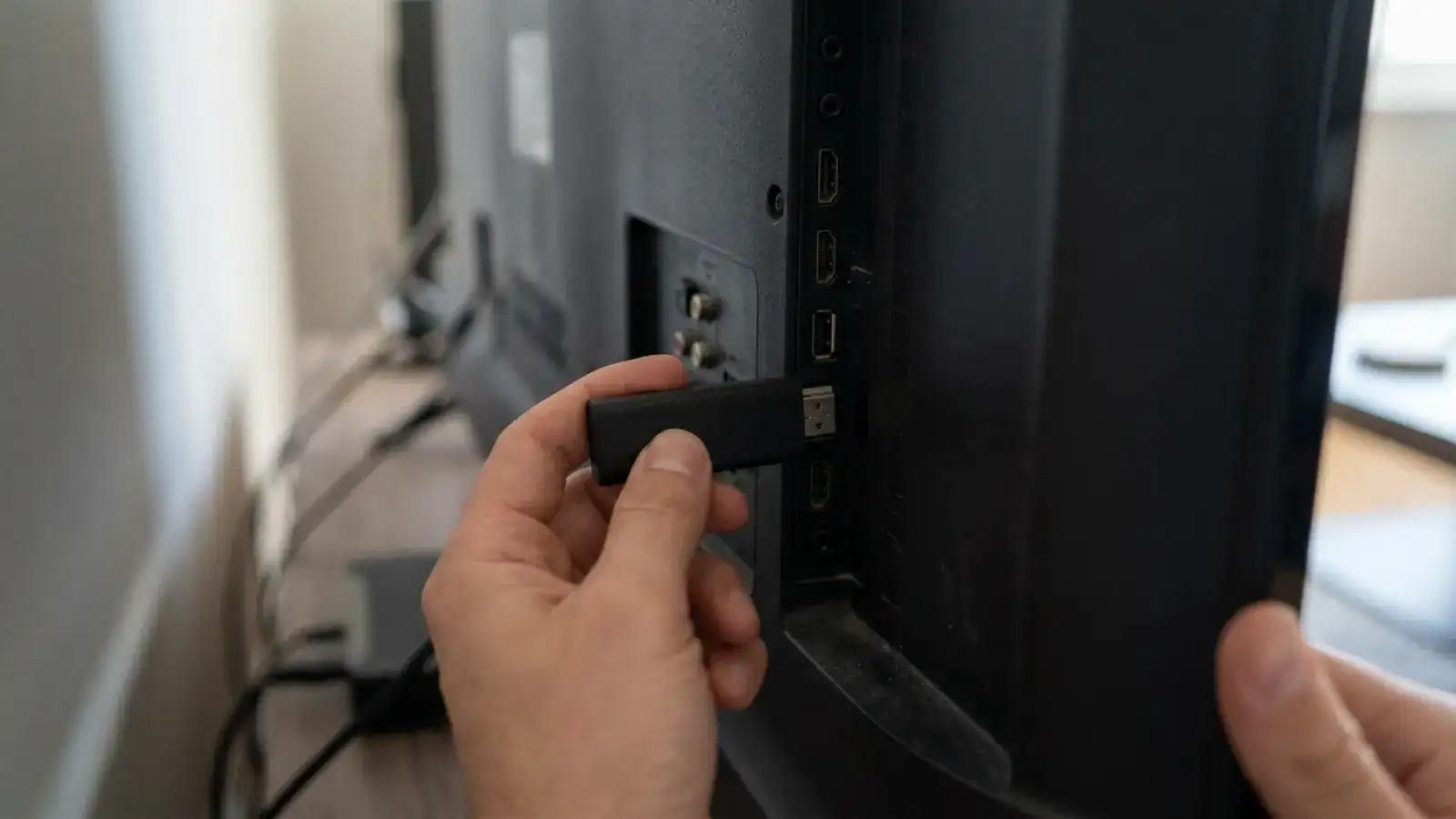
How to set up IPTV: what the e-mail contains
Your e-mail from IPTV True North contains one of two login formats, and most apps accept both:
| Format | What it looks like | Used by |
|---|---|---|
| Xtream Codes | Server URL, username, password | IPTV Smarters Pro, TiviMate, most TV apps |
| M3U playlist | One long link ending in a playlist | VLC, some Smart TV apps, Roku players |
Type everything exactly as sent, including capital letters. Nine out of ten failed first logins are a typo in the server URL or a space at the end of the password. Two further requirements apply everywhere: the device must be online, and your plan's screen limit must not already be in use.
IPTV on Fire TV Stick and Fire TV Cube
IPTV Firestick setup is the most common in Canada. The Amazon Appstore carries several players directly; where it does not, the Downloader app installs the player from the developer's own site.
- From the Fire TV home screen, open Find, then Search, and type IPTV Smarters (or TiviMate if listed). Install the app.
- If the app is not in the Appstore: go to Settings, My Fire TV, Developer options, and enable Apps from unknown sources (on newer models, Install unknown apps for Downloader). Install Downloader from the Appstore and use it to fetch the player from the developer's site.
- Open the player and choose Login with Xtream Codes API (Smarters) or Add playlist, then Xtream Codes (TiviMate).
- Enter the server URL, username and password from your e-mail. Give the playlist any name.
- Wait for the channel list and EPG to load, then open Live TV.
Firestick IPTV runs best on the 4K and 4K Max models; on the older Lite, keep only one player installed and clear its cache monthly. Detailed walkthroughs: IPTV Smarters Pro and TiviMate.
IPTV on Android TV and Google TV
Android TV and Google TV boxes, including Chromecast with Google TV and most Sony, TCL and Hisense TVs, install players from Google Play.
- Open Google Play on the TV and search for TiviMate or IPTV Smarters Pro. Install.
- Open the app. In TiviMate choose Add playlist, Xtream Codes; in Smarters choose Login with Xtream Codes API.
- Enter the server URL, username and password from your e-mail.
- Allow the EPG to download; this can take a minute on first run.
- Optional: in TiviMate, Settings, Playlists, set EPG update to daily.
Our TiviMate guide covers favourites, catch-up and the premium upgrade.
IPTV on Apple TV
IPTV on Apple TV uses players from the tvOS App Store that accept an Xtream Codes login or an M3U link.
- Open the App Store on the Apple TV and search for an IPTV player that accepts Xtream Codes, for example IPTV Smarters Player, iPlayTV or GSE Smart IPTV; our apps page compares them.
- Install and open the app, then choose Add playlist or Xtream Codes login.
- Enter the server URL, username and password. Most tvOS players also accept the M3U link.
- Wait for channels and EPG to load.
- Use the Siri Remote's touch surface to swipe between categories; set favourites to avoid scrolling.
IPTV on Samsung Smart TV
IPTV Smart TV setup on a Samsung (Tizen, 2016 and later) works through the TV's own app store.
- Press Home, open Apps, and search for IPTV Smarters or Smart IPTV. Install.
- Open the app. Smarters: Login with Xtream Codes API. Smart IPTV: note the MAC address shown on screen; the playlist is uploaded to the app's activation page using that MAC and your M3U link.
- Enter the login details exactly as sent.
- Wait for the channel list and EPG.
- If the TV's store lacks a player, a Fire TV Stick in a spare HDMI port is the quickest fix.
IPTV on LG Smart TV
LG TVs running webOS follow the same pattern as Samsung.
- Press Home, open the LG Content Store, and search for IPTV Smarters or Smart IPTV. Install.
- Open the app and choose Xtream Codes login (Smarters) or the MAC-based playlist upload (Smart IPTV).
- Enter the server URL, username and password.
- Wait for the EPG to populate.
- On older webOS versions without a suitable player, use a stick or box in a spare HDMI port.
IPTV on Roku
IPTV on Roku is possible but more limited than on Android, because Roku's channel store has few IPTV players and most of them accept only M3U links.
- From the Roku home screen open Streaming Channels and search for an IPTV player that accepts an M3U link (search terms: IPTV, M3U player).
- Install and open it. Most Roku players show a code and ask you to upload your M3U link on the developer's website.
- Paste the M3U link from your e-mail on that page and link it to the code.
- Return to the Roku app and wait for the channels to load.
- If EPG is missing, check whether the player supports a separate EPG URL; not all Roku players do.
If Roku frustrates you, a Fire TV Stick in another HDMI port gives a far better IPTV experience.
IPTV on Chromecast
A Chromecast with Google TV is an Android TV device: follow the Android TV steps. An older Chromecast without Google TV has no app platform of its own.
- On an older Chromecast, install a player on your phone or laptop first, following the iPhone and iPad or Windows and Mac steps.
- Open the stream in the player.
- Use the cast button in the app (where available) or cast the whole screen from the phone or Chrome browser.
- Expect the phone to stay awake and on the same Wi-Fi for the whole session.
- For regular use, a Chromecast with Google TV or a Fire TV Stick is the better long-term choice.
IPTV on Windows and Mac
- Install IPTV Smarters Pro for Windows or Mac from the developer's site, or VLC from videolan.org.
- Smarters: open and choose Login with Xtream Codes API. VLC: Media, Open Network Stream, and paste the M3U link.
- Enter the server URL, username and password (Smarters) or confirm the link (VLC).
- In VLC, open View, Playlist to browse channels; in Smarters use the Live TV, Movies and Series tabs.
- For a windowed EPG and recording on desktop, Smarters is the more complete option.
IPTV on iPhone, iPad and Android phones
- Install IPTV Smarters Pro (Android, from Google Play) or IPTV Smarters Player / GSE Smart IPTV (iPhone and iPad, from the App Store).
- Open the app and choose Xtream Codes login.
- Enter the server URL, username and password.
- Wait for the channel list; switch to Wi-Fi for the first EPG download.
- A phone counts as one screen while it is playing. On a single-screen plan, stop the TV before starting the phone.
IPTV on Formuler boxes
Formuler boxes run Android TV and ship with the maker's own player, MYTVOnline.
- Open MYTVOnline from the home screen.
- Choose Add portal or Xtream Codes, depending on the version.
- Enter the server URL, username and password from your e-mail; MYTVOnline also accepts an M3U link.
- Wait for the channel list and EPG.
- Prefer a different player? Google Play on the Formuler installs TiviMate as on any Android TV box.
IPTV on MAG boxes
MAG boxes from Infomir use a portal address rather than an app login.
- Note your box's MAC address (on the sticker underneath and under Settings, Device info).
- Open the live chat, say you use a MAG box, and give the MAC address. The agent will register it and send you the portal URL.
- On the box, go to Settings, System settings, Servers, Portals.
- Enter the portal URL as Portal 1 URL and save.
- Restart the box; the channel list loads from the portal.
IPTV on Nvidia Shield
The Shield is an Android TV device with Ethernet and a fast processor, which is why it is a favourite for TiviMate.
- Connect the Shield by Ethernet if possible.
- Open Google Play, search for TiviMate, install.
- Add playlist, Xtream Codes, and enter the server URL, username and password.
- Allow the EPG to load; set the update interval to daily.
- Optional: activate TiviMate Premium for multiple playlists, recording and favourites, as described in our TiviMate guide.
How to get IPTV working if a step fails
- Login rejected: re-type the server URL and password; check for a trailing space.
- Channels listed but nothing plays: check the device is online, then test another channel; if all fail, check your screen limit is not in use elsewhere.
- Buffering: switch the TV to Ethernet, or test on mobile data to rule out your home network.
- EPG empty: wait a few minutes after first login, then force an EPG refresh in the app.
The full checklist is on IPTV not working; if it does not solve it, the chat is open 24/7.
Frequently asked questions about setting up IPTV
How to set up iptv on a Smart TV without a stick?
Install IPTV Smarters or Smart IPTV from the TV's own app store, enter the Xtream Codes details or upload the M3U link, and wait for the EPG. Steps for Samsung and LG are above.
How to set up iptv on firestick?
Install IPTV Smarters from the Appstore (or TiviMate via Downloader), choose Xtream Codes login, enter the server URL, username and password, and open Live TV. Full steps in the Fire TV section.
How to install iptv on android tv box?
Install TiviMate or IPTV Smarters Pro from Google Play, add a playlist with your Xtream Codes details, and let the EPG load. See Android TV.
How to watch iptv on roku?
Install an M3U-capable player from the Roku channel store, upload your M3U link on the developer's site using the code shown, and return to the app. See Roku.
How do i get iptv on my tv if the app store has nothing?
Plug a Fire TV Stick or a Chromecast with Google TV into a spare HDMI port and follow the Fire TV or Android TV steps. See also IPTV box: do you need one?.
How much internet does iptv use?
One HD stream uses roughly 2 to 3 GB per hour; 4K uses more. A connection of about 25 Mbps is comfortable for one HD stream. Multi-screen plans scale accordingly; see the subscription hub.
Ready to set up?
Request the 24-hour trial, receive the login by e-mail, and follow the steps for your device.
Ready to set up?
Request the 24-hour trial, receive the login by e-mail, and follow the steps for your device.